| Tool type | Best for | What it does well | What it doesn't solve |
|---|---|---|---|
| Page and layout editors | Illustrators and production-minded creators | Panel composition, rulers, lettering, export-ready pages | Doesn't write your story |
| Free art suites | Indie artists and solo creators | Strong drawing tools without a subscription | Weaker collaboration and polish than pro suites |
| AI comic generators | Writers, non-illustrators, gift buyers, teachers | Script-to-page automation and fast visual prototyping | Less manual control over every line |
| General art suites | Artists who already live in illustration apps | Painting, drawing, and asset reuse | Comic production is not the main focus |
If you want a blunt answer, start here. Clip Studio Paint is the professional default for serious page-making, Krita is the free option that still belongs in the conversation, and AI comic generators are the smart move when drawing the comic yourself would slow the project to a crawl. Procreate is still a strong art app, but it's not where I'd send someone who needs a production pipeline.
Why Choosing Graphic Novel Software Is Harder Than It Looks
A writer once spent two weekends installing Clip Studio Paint, watching tutorials, and arranging brushes like she was preparing for a career change. Then she admitted the obvious. She was not drawing the book at all, she was only trying to turn a script into pages for a pitch deck. That is the trap.
People search for the best graphic novel software and assume they are comparing brushes, but they are really choosing a stage of production. Do you need to write? Do you need to draw? Do you need to build pages? Or do you need a tool that can turn a prompt and a few photos into a readable comic? Each one serves a different part of the creative process.
The category gets easier once you stop asking for a single winner and start asking where you sit on the pipeline. Some users live in the sketching stage and want full control. Others need panel layout, lettering, and export. Others do not want to draw at all, they want a finished comic they can share, print, or gift.
Practical rule: If you cannot name your first output, you are not ready to buy software. Decide whether you need a script, a page, a printable book, or a visual prototype, then buy the tool that does that job.
Many creators waste money on tools that do not match their actual workflow. A beautiful brush engine will not help a writer who needs pages by Friday. A slick AI tool will not satisfy an artist who wants control over gutters and pacing. A layout app is wasted on someone who only wants to turn family photos into a birthday comic.
The right question is simpler. What part of the process do you want to own, and what part do you want the software to handle for you? If you need script-to-page automation or quick comic mockups, a generator can beat a drawing app for speed, especially for non-illustrators and gift projects. For writers and creators who want a fast route from idea to page, see this overview of AI tools for content creators.
The Four Types of Graphic Novel Tools Explained
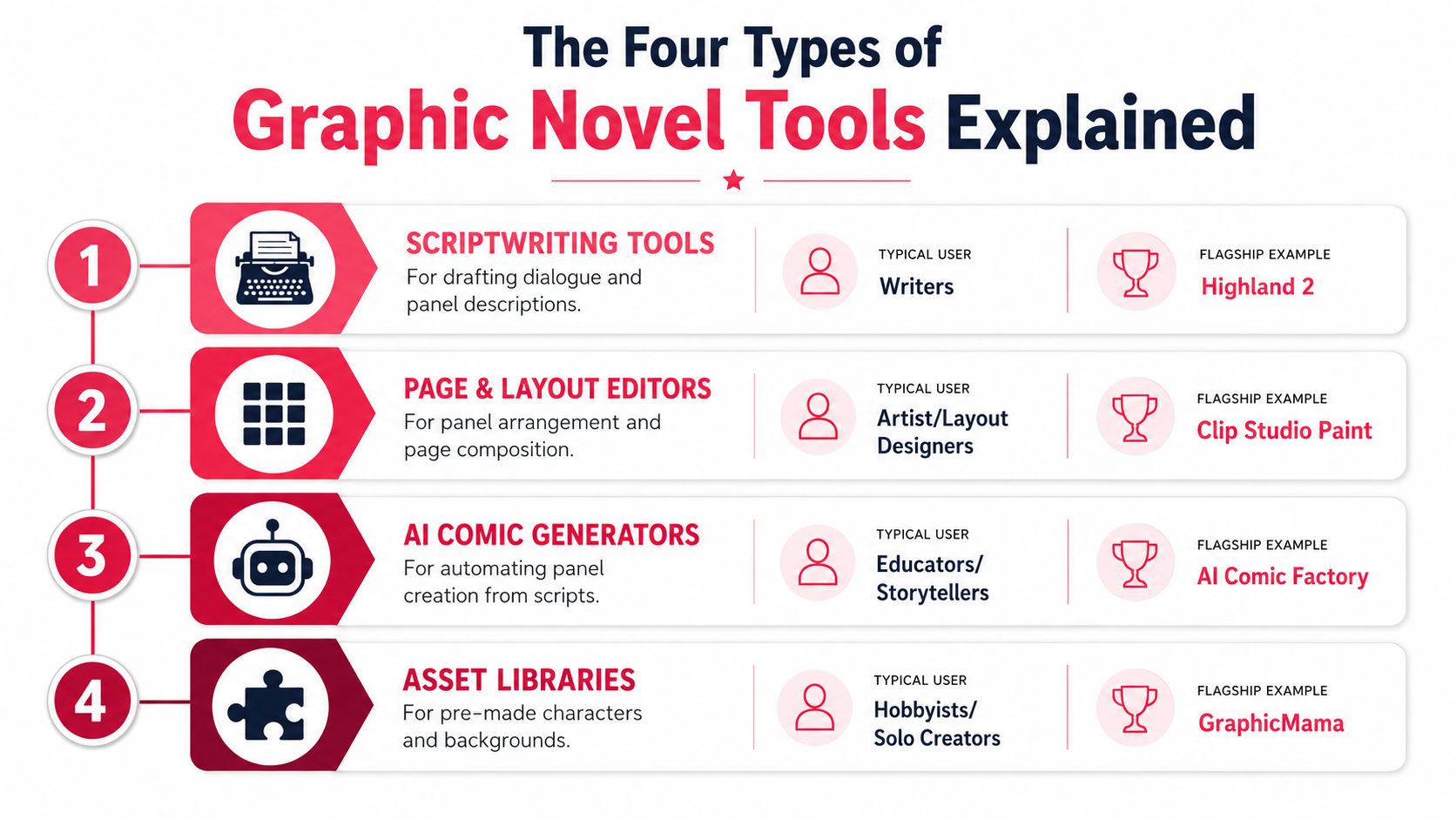
A comic project breaks into four tool classes fast. Writers need script structure. Artists need page building. Non-illustrators need a way to turn an idea into pages without learning a full drawing workflow. Solo creators who want speed often use asset libraries to fill gaps.
Scriptwriting tools
Scriptwriting tools handle dialogue, scene notes, and panel-by-panel breakdowns. They fit writers who want to structure a comic before any art begins, and they're the right first stop when your biggest challenge is pacing rather than illustration technique. A tool like Highland 2 belongs in this lane.
These apps stay out of the art layer and focus on clean drafting. Use them to organize beats, captions, scene shifts, and character dialogue before you hand the pages off to an artist or move into a page builder.
Page and layout editors
Page and layout editors are for creators who already know how to draw and need help assembling pages. They handle panel grids, speech balloons, page numbering, print export, and the production details that turn art files into actual comic pages. Clip Studio Paint is the clearest flagship here.
This category suits artists and layout designers who want control over gutters, perspective, and final composition. If your art is ready but your pages still live in fragments, this tool class turns fragments into books.
AI comic generators
AI comic generators turn prompts, scripts, or photos into comic pages automatically. They fit educators, storytellers, parents, and gift buyers who need a finished comic more than they need manual brushwork. A platform like AI Comic Factory sits in this category.
These tools are attractive because they compress the workflow. You describe the story, pick the look, and get pages with panels and dialogue without learning a drawing program first. If speed matters more than total manual control, this is the shortest route to a readable comic. For writers and creators who want a broader look at automation options, this guide to AI tools for content creators is a useful reference.
Asset libraries
Asset libraries provide pre-made characters, backgrounds, and visual pieces you can assemble into a story. They suit hobbyists and solo creators who want to move faster without starting every panel from zero. GraphicMama is a good example of this type.
The tradeoff is obvious. You gain speed and consistency, but you give up some originality and direct drawing control. For some projects, that is a fair deal.
Page and Layout Editors Worth Paying For
The strongest paid choice here is Clip Studio Paint, and the 2026 ranking says it plainly. It placed #1 with a 9.4/10 overall score, plus 9.7/10 for ease of use, 9.4/10 for feature depth, and 9.2/10 for value (WorldMetrics ranking). That ranking matters because the listed strengths map directly to comic production, not just illustration. The tool gets credit for manga-focused page and panel layout tools, perspective rulers, and a production-ready inking/coloring workflow.
Why Clip Studio Paint earns the praise
The big win is speed across the entire page-building process. You can sketch, ink, manage panels, place balloons, and prep pages without bouncing between separate apps. That's why it beats prettier drawing tools for serious comic work.
Procreate came in #2 in the 2026 ranking, which tells you something useful. It's respected for drawing, but the market still judges comic software on end-to-end production features like panel layout, lettering, effects, and export-ready output (Zipdo ranking). In other words, great art alone isn't enough anymore.
If you are drawing every page yourself, buy the tool that reduces page friction. If you're only making single illustrations, don't pay for comic infrastructure you'll barely touch.
Where other paid suites land
Adobe Photoshop + Fresco can absolutely be used for comic pages, but that's not the same as being built for them. They're stronger general art environments than page-production systems. You'll spend more time assembling the comic yourself.
For artists who want a serious working tool and don't mind paying, Clip Studio Paint is the cost you pay once and then stop thinking about. If you want the most direct road from sketch to finished page, it's the one I'd buy first. If you mainly make standalone illustrations, it's overkill.
This panel layout generator guide is useful if your biggest pain point is page composition rather than painting.
Free and Open Source Options That Hold Up
Krita is the rare free tool that doesn't feel like a consolation prize. In a 2026 comparison focused on comic-specific production workflows, it scored 9.4/10 overall, with 9.2/10 for features, 9.4/10 for ease of use, and 9.6/10 for value. The ranking also says the evaluation weighted features at 40%, ease of use at 30%, and value at 30%, which is why Krita stands out for graphic-novel work that needs both raster and vector tools plus page-layout support (GitNux comparison).
What that score means in real projects
That weighting favors practical production, not flashy extras. Krita does enough of the comic job to matter, especially for solo creators who need drawing, layout, and page assembly in one place without a subscription. If your project is indie, self-funded, or still in development, that's a serious advantage.
It's also the cleanest answer for someone who wants to learn page-making without paying up front. You can start building pages, test a workflow, and keep moving without a billing decision hanging over you.
What Krita still doesn't solve
Krita is not the same as a polished team platform. It doesn't give you the cloud sync and native collaboration muscle that larger production teams often want, and its lettering workflow won't feel as purpose-built as Clip Studio Paint. If your comic has multiple contributors, that gap matters.
Medibang Paint and FireAlpaca are also worth knowing about, especially for lighter comic use. They're fine for hobby work and simpler page setups, but if you're serious about a finished graphic novel, Krita is the free tool that belongs in the same sentence as paid software.
The short version is simple. If you need a free tool that can carry real pages, Krita is enough. If you need production polish, collaboration, or clean lettering, the missing features will start to show.
AI Comic Generators and Script-to-Page Tools
The split in graphic novel software is not art style, it's where the work starts and where it ends. Some tools are built for illustration. Others are built for page layout. AI tools sit in a different lane entirely, because they turn a script, prompt, or rough idea into pages fast. Recent educator-style workflows pair Gemini with NotebookLM to move from topic selection and script creation to notebook-based page generation, which shows how much demand there is for an end-to-end writing-to-pages pipeline (Control Alt Achieve).
Where AI beats a drawing app
AI comic tools win for non-illustrators, gift projects, classroom work, and quick story prototypes. AI tools are the faster route when the story matters more than manual brushwork. If the goal is to get a readable comic on the page without spending months on drawing practice, an AI pipeline does the job faster.
That makes them a better fit than a drawing app for a lot of people. A teacher building a class comic does not need to learn perspective rulers, brush stabilization, and layer habits before the story can move. A parent making a keepsake book does not need to install a full illustration suite just to finish a readable gift.
Script support and export vary a lot
The catch is that AI comic platforms do not all solve the same problem.
| Platform | Art styles | Script support | Export | Subscription |
|---|---|---|---|---|
| AI Comic Factory | Varies by platform setup | Prompt and script driven | Digital output | Depends on platform |
| Scenario | Style and training based | Stronger custom control | Digital output | Depends on platform |
| PersonalizedComics | Eight styles, including graphic novel | Photos, plot, settings, dialogue | Digital pages and physical print option | No subscription |
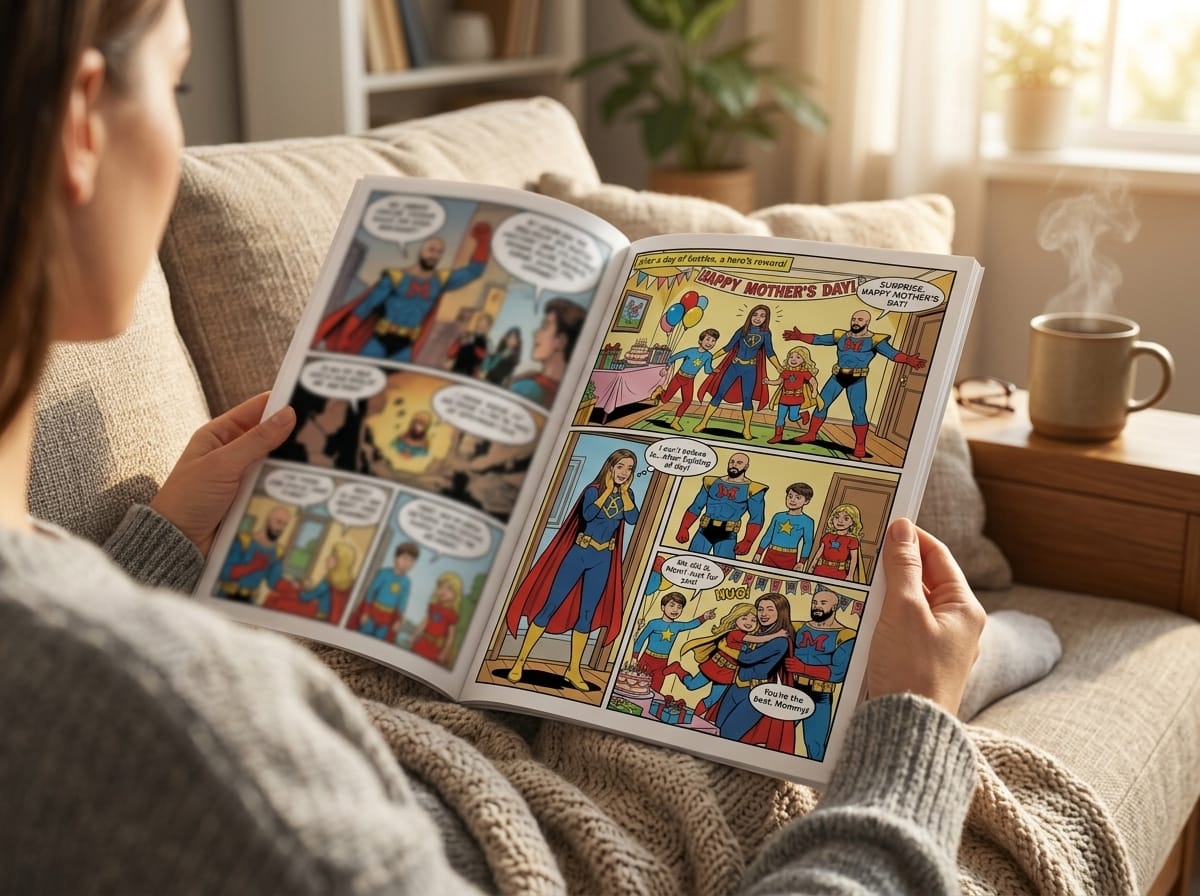
PersonalizedComics fits the non-illustrator lane cleanly because it turns photos and ideas into fully illustrated comic books with panels, speech bubbles, sound effects, and narration. It uses a credit model, where 1 credit equals 1 page, and it includes a physical print option for people who want a book they can hand over. For writers who want a guided path from script to finished pages, this how to make graphic novels on computer guide is the kind of workflow reference that matters. That is a different product category from a drawing app.
A drawing app still makes sense for artists who want full control over every panel edge, brush mark, and lettering detail. AI tools are faster. Drawing apps are stricter. Pick the one that matches your job, not your curiosity.
Matching the Tool to Your Real Use Case
If you draw comics for fun, don't overthink it. Clip Studio Paint is the safest buy if you want to level up into serious page work, and Procreate is fine if your focus is still illustration rather than full-page production. Start with a single page and test how long it takes you to place panels, balloons, and text.
Writers and storytellers should make a cleaner choice. If the goal is to prototype a script visually, PersonalizedComics is the faster path because it turns story ideas into pages without requiring illustration skills. If you're building finished pages for an artist or a layout handoff, Krita is the free option worth using first.
Teachers and youth groups should skip the art-app rabbit hole. AI comic tools are the right fit because the classroom needs a finished story before anyone has time to learn a software ecosystem. The first workflow step should be story outline, not brush selection.
Gift shoppers should also stop trying to learn a drawing app from scratch. A birthday comic, anniversary comic, or family keepsake should go straight into an AI generator or a personalized comic platform, because the point is the keepsake, not software mastery.
| User type | Best pick | Backup pick | First workflow step |
|---|---|---|---|
| Comic fan who draws | Clip Studio Paint | Krita | Build one finished page |
| Writer or storyteller | PersonalizedComics | Krita | Turn script beats into pages |
| Teacher or youth group | AI comic generator | PersonalizedComics | Draft the class story first |
| Gift shopper | PersonalizedComics | Any AI generator | Gather photos and a simple plot |
Pricing, Exports, and the Recommendation
The money question is where people usually make the wrong call. Clip Studio Paint is the paid professional pick, and in the comparison brief it's treated as a one-time purchase plus optional subscription, which is a fair model for artists who will use its page tools. Krita is the easy answer on price because it's completely free and open-source. PersonalizedComics uses a credit model with Starter, Creator, and Studio packs, 1 credit per page, credits that never expire, and a free three-page preview comic for new users, with no subscription.
What each one exports
Clip Studio Paint handles standard digital comic export well, including formats like PNG, JPG, and PSD in the comparison brief. Krita handles standard formats like PNG and JPG. PersonalizedComics adds something most digital tools don't, a physical premium comic book option for any comic you create there.
That last detail matters. A lot of buyers don't need another file on their desktop, they need a finished object they can give, mail, or keep.
My recommendation
Pay for Clip Studio Paint if you're drawing pages regularly and want the most efficient professional workflow. Use Krita if you're an artist who wants real page-making power without a subscription. Use an AI comic tool, including PersonalizedComics, if you're not drawing the book yourself and want the fastest route to a finished comic.
Skip subscription pressure if you only need a one-off project. A credit model or a free tool is smarter than paying monthly for software you won't use often.
- What is the finished output? A web comic, printable PDF, or physical book all point to different tools.
- Who is drawing? If nobody is drawing by hand, don't buy a drawing-first app.
- What is the budget? Free, one-time purchase, and credit-based pricing solve different problems.
- Does it need print export? If yes, rule out tools that stay digital-only.
- Is there a subscription? If the answer is yes, make sure you'll use it enough to justify it.
Frequently Asked Questions About Graphic Novel Software
Can AI comic tools produce print-ready files? Yes, and that's especially relevant for platforms that offer a physical print option, since the point is to get from concept to something you can hand over, not just a screen file.
Is Krita good enough for a published graphic novel? Yes, if you're comfortable handling more of the production yourself. It's strong for solo pages, but if you need polished lettering, team collaboration, or a smoother comic-specific workflow, paid page software is stronger.
How many pages do credit-based comic tools produce? In PersonalizedComics, 1 credit equals 1 page, and credits never expire, so you can buy for the project you have instead of racing a timer. The platform also starts new users with a free three-page preview comic, which is enough to test the workflow before paying.
Can you switch art styles mid-project? You can, but I wouldn't do it casually unless the story calls for a visible shift in tone. Style changes can work as a device, but consistency is usually better for the main run of a graphic novel.
If you want the shortest path from idea to pages, PersonalizedComics gives you a practical way to turn photos, plots, and dialogue into a finished comic without drawing skills. If that's the lane you're in, visit PersonalizedComics and see whether the credit model fits your next story, gift, or prototype.
Filed under Comic Craft