The idea stopped being a novelty a while ago. Academic and publishing work in the late 2010s and early 2020s began formalizing how comic panels could act as image targets for digital overlays, and a 2022 marker-framework study treated comic pages as a structured AR reading system rather than a one-off demo TEM Journal study on an AR comic-book marker framework. For indie creators, that shift matters because the question is no longer whether AR can work in comics, but how to make it readable, reliable, and worth the effort for non-technical readers.
The market context is bigger than many creators expect. The broader augmented-reality book sector was estimated at USD 3.56 billion in 2024 and is projected to reach USD 23.36 billion by 2034, implying a 20.7% CAGR from 2025 to 2034 augmented-reality book market projection. That does not mean every AR comic project will sell well, but it does show that AR-enhanced storytelling sits inside a fast-growing publishing segment.
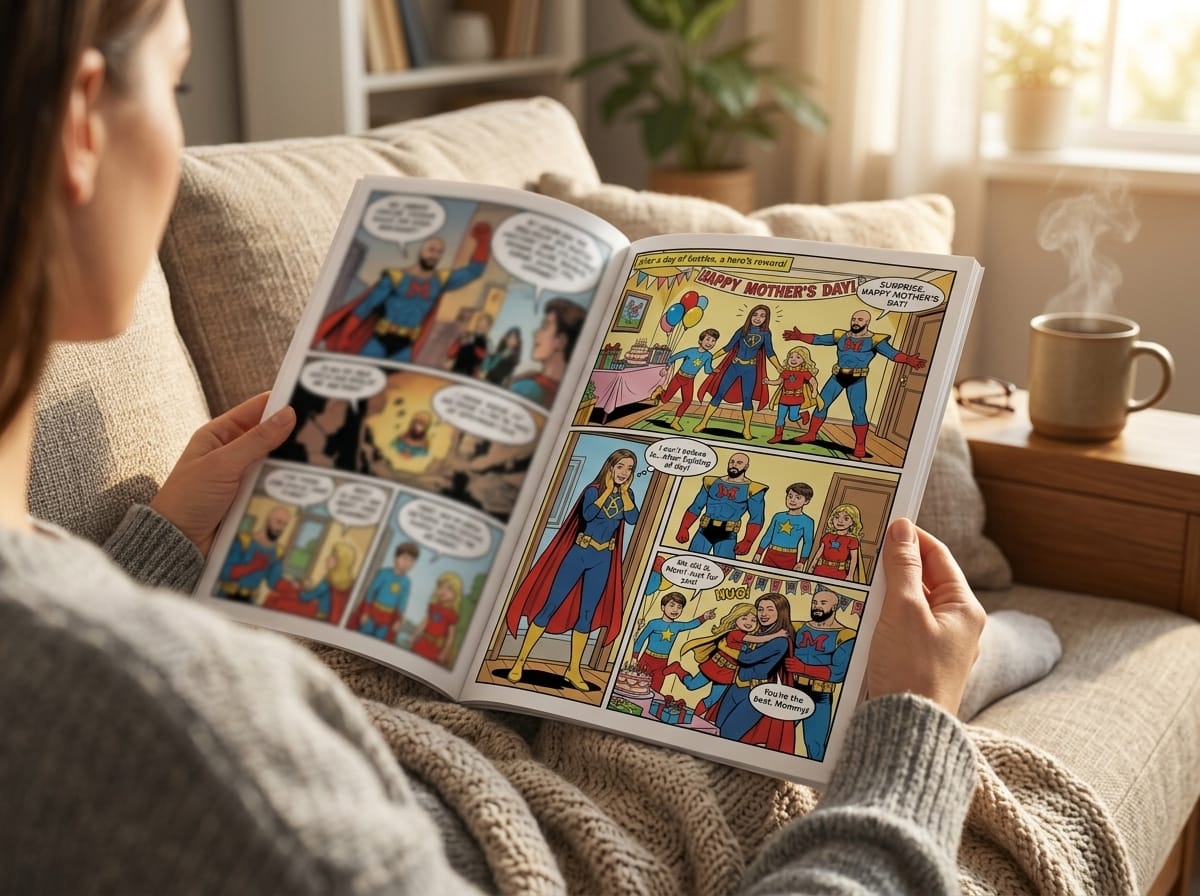
The practical challenge is familiar to anyone who has built a prototype. A reader should be able to scan a page and understand what to do without a tutorial, and the AR layer should feel like a helpful cue, not a technical hurdle. That is why reliable comic-page markers matter, and why creators can now use AI tools for comic asset creation to generate consistent faces, props, and backgrounds that also work as dependable AR triggers without commissioning expensive custom illustration every time.
Defining Augmented Reality Comics
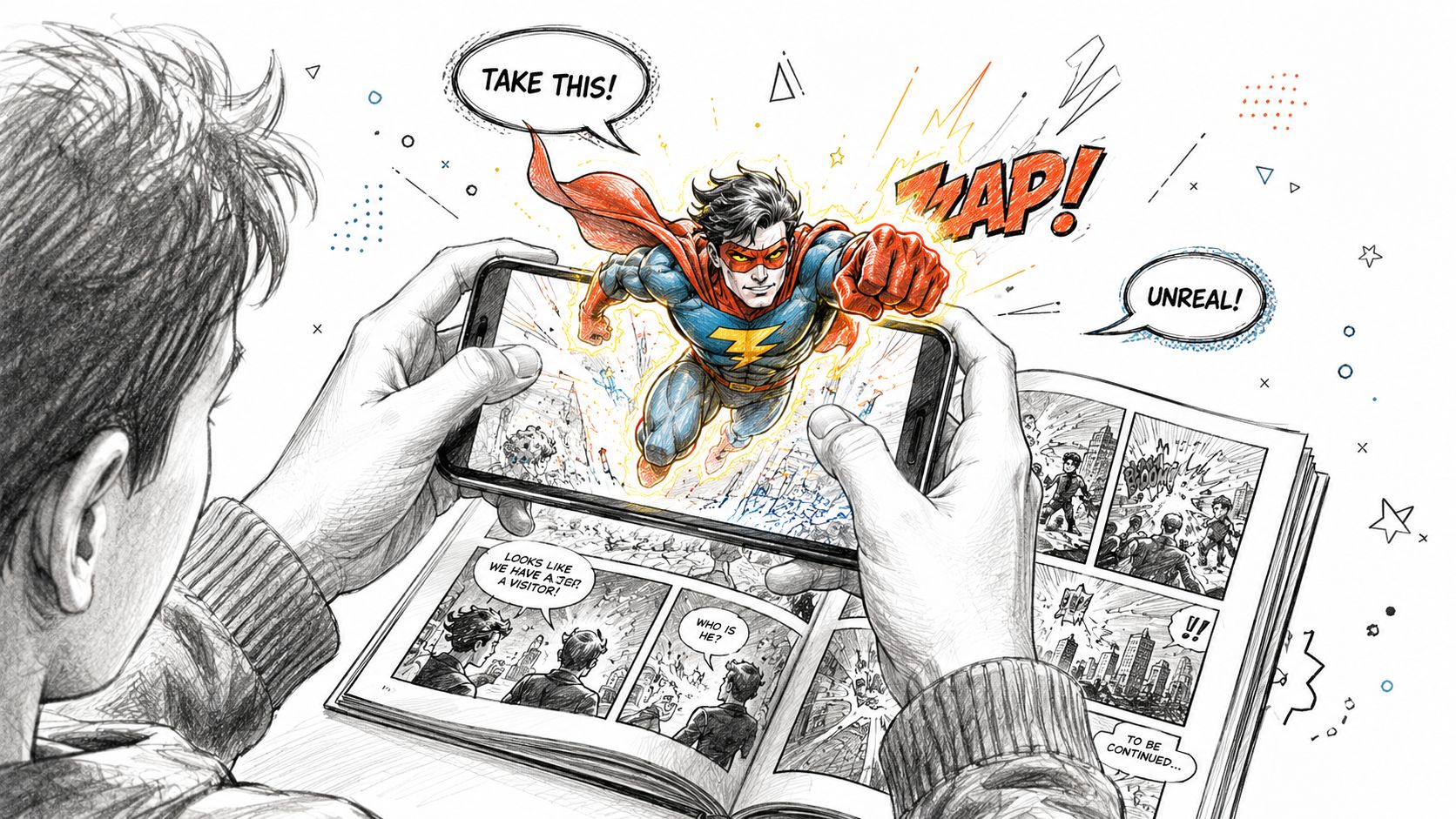
A reader scans a printed page, and a character seems to step out of the panel. Speech bubbles animate, a sound effect lands at the right moment, and a background scene gains depth on the phone screen. That is the basic appeal of augmented reality comics, a format that uses a comic page as a trigger for digital content layered over the original art.
A comic is still the core object
The printed page, or a page displayed on screen, remains the anchor. Research on marker-based comic AR describes the page as an image target that the system can recognize, then bind to digital content such as 3D animation, audio, or other assets. In plain terms, the comic is not being replaced. It works like a visual key that opens an extra layer.
That difference matters when readers compare formats. Motion comics usually animate the original artwork directly, often in a video-like sequence. AR comics keep the reading object in the reader's hands, then let the device superimpose motion or interaction onto it in real time.
They also differ from webtoons and standard digital-first comics. Webtoons are designed primarily for scrolling, while AR comics can begin as printed pages and still trigger digital effects. That hybrid quality is the point, because it lets creators keep the tactile rhythm of panel reading while adding moments that feel surprising and immediate.
Practical rule: if the story still makes sense with the AR layer turned off, you have probably designed the format correctly.
The timing makes sense, too. Mobile cameras are better, consumer devices are more capable, and readers are already comfortable scanning objects to access content. The format has moved from “look what's possible” to a simpler question, how do you make it usable without friction.
The Technology Behind AR Comic Experiences
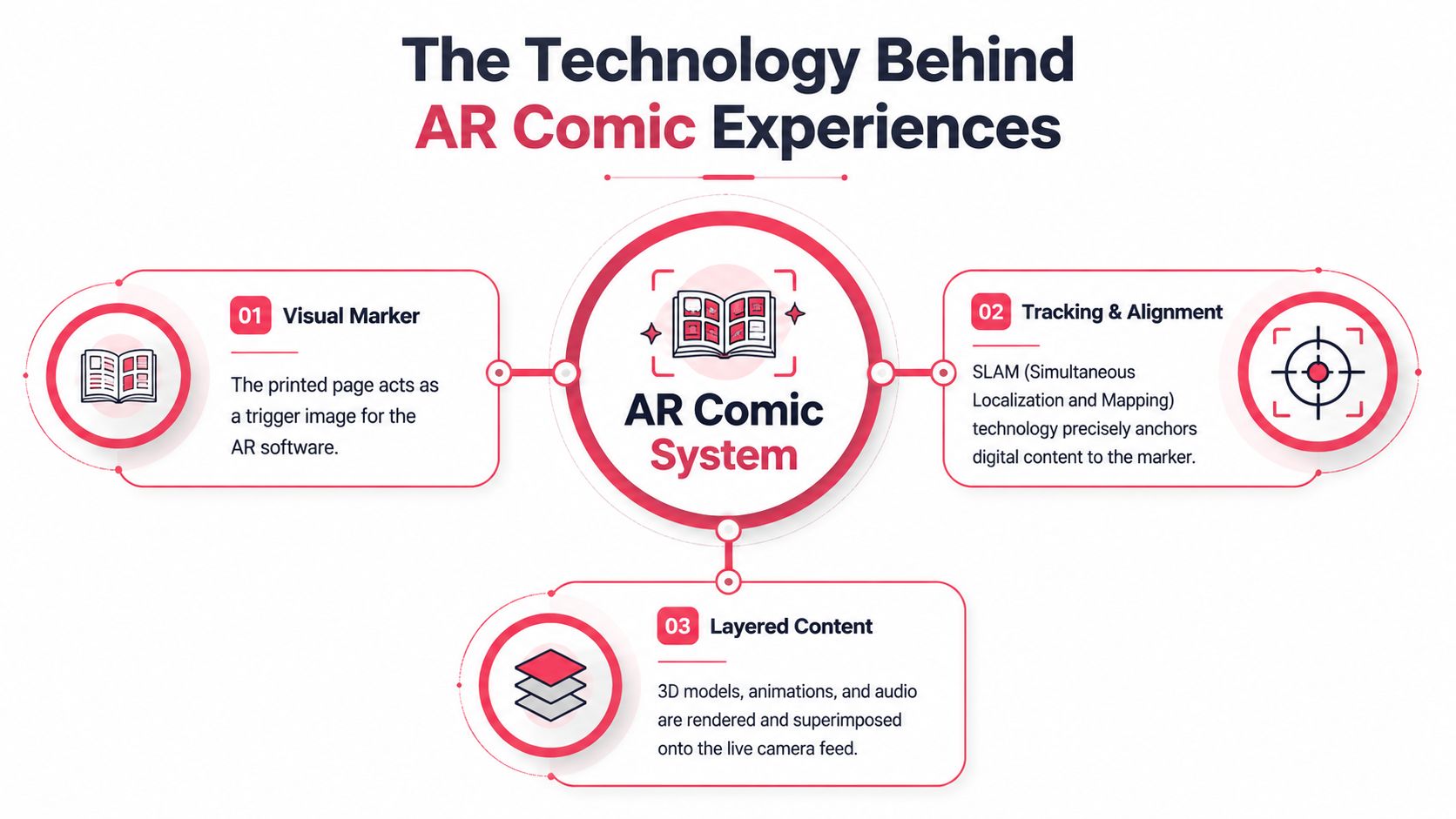
A reader opens a comic page, and the phone camera has to understand two things at once, what the page is, and where a digital layer belongs on it. AR comic pages usually work as visual markers, similar to a QR code in the sense that the camera recognizes a pattern and launches content, but the result is different. Instead of sending the reader to a link, the system places a scene on top of the page, then keeps it aligned as the reader tilts the book or shifts the phone.
From page image to anchored scene
A marker-based workflow usually starts by importing the page image, generating an image target, and binding virtual content to that target so the page can trigger the augmented scene when viewed through a phone camera comic AR image-target workflow.pdf). The page art needs enough visual detail for the system to recognize it quickly and keep recognizing it as the reader moves.
Tracking becomes the pressure point. Many AR systems use spatial understanding to keep the content stable while the device shifts, because readers notice drift before they notice anything else. They do not need the technical label. They need the dragon, the caption, or the glowing spell circle to stay locked to the right panel edge instead of sliding into the gutter.
ETSI's AR framework gives a useful vocabulary for that setup. It distinguishes Features, the physical object to augment, VisualAssets, the virtual content, and Anchors, the spatial relation between them ETSI AR framework. For comic creators, that means the page art, the animation, and the alignment plan all need to behave like parts of one system, not separate pieces stitched together later.
Why page art quality changes the result
Clean, high-contrast artwork helps tracking stay steady. So do well-defined anchor layouts, because the system needs a reliable place to keep the digital object attached to the page. That is one reason creators often test a spread before committing to a full book, especially when the scene depends on small details or overlapping panels.
Asset preparation matters too. Comic pages, character cutouts, and overlays are often prepared in formats that preserve clarity and load smoothly, and creators who are also choosing production tools can compare options in a guide like these AI tools for content creators. In practice, a reliable marker is less about flashy art and more about clear shapes, readable contrast, and enough unique features for the camera to hold onto.
Design insight: the page has to work twice, once as comic art and once as machine-readable structure.
That is why simple, high-contrast pages often outperform crowded layouts. The reason is practical, not aesthetic. The camera finds them faster, the anchor holds more steadily, and the reader gets a clearer experience because the digital layer behaves like it belongs on the page.
Creative Formats and Real-World Use Cases
A strong AR comic can serve different reading goals without losing what makes it a comic. Some projects use the AR layer for surprise, some for accessibility, and some for social or educational impact. The format stays flexible as long as the added material supports the page instead of fighting it.
Four creative patterns that keep showing up
Interactive panels are the clearest example. A reader taps a page, and a hidden branch appears, or a character's thought process opens into a side scene. That approach works best when the AR layer reveals something the printed panel intentionally leaves out.
Animated overlays are another common choice. A battle scene can pick up sparks, smoke, or moving eyes without turning the whole page into a full motion sequence. Restraint helps here, because a little movement usually reads more clearly than a crowded screen of effects.
Audio-enhanced narration gives creators another tool, especially for accessibility and atmosphere. Sound cues can support young readers, reinforce pacing, or help non-technical audiences notice when an interaction has worked. Used well, audio adds clarity instead of clutter.
Location-based comics move the format beyond the table or phone screen. A page can reveal different content in a classroom, gallery, or public space, which makes the comic behave more like a site-specific story object than a standard book.
The strongest non-entertainment use case in the research brief is Ram Devineni's Priya series, where AR extends transmedia storytelling and supports social-sensitization goals around gender-based violence research on Priya and AR comics. That example matters because it shows AR is not only for spectacle. It can carry serious themes when the added layer serves the story.
Educational comics also fit naturally here. Teachers can use AR to make a process visible, a setting immersive, or a concept easier to revisit. Branded comics can use the same structure for product launches or campaign storytelling, but they still need a clear reason for the AR layer to exist beyond novelty.
A Practical Workflow for Creating AR Comics
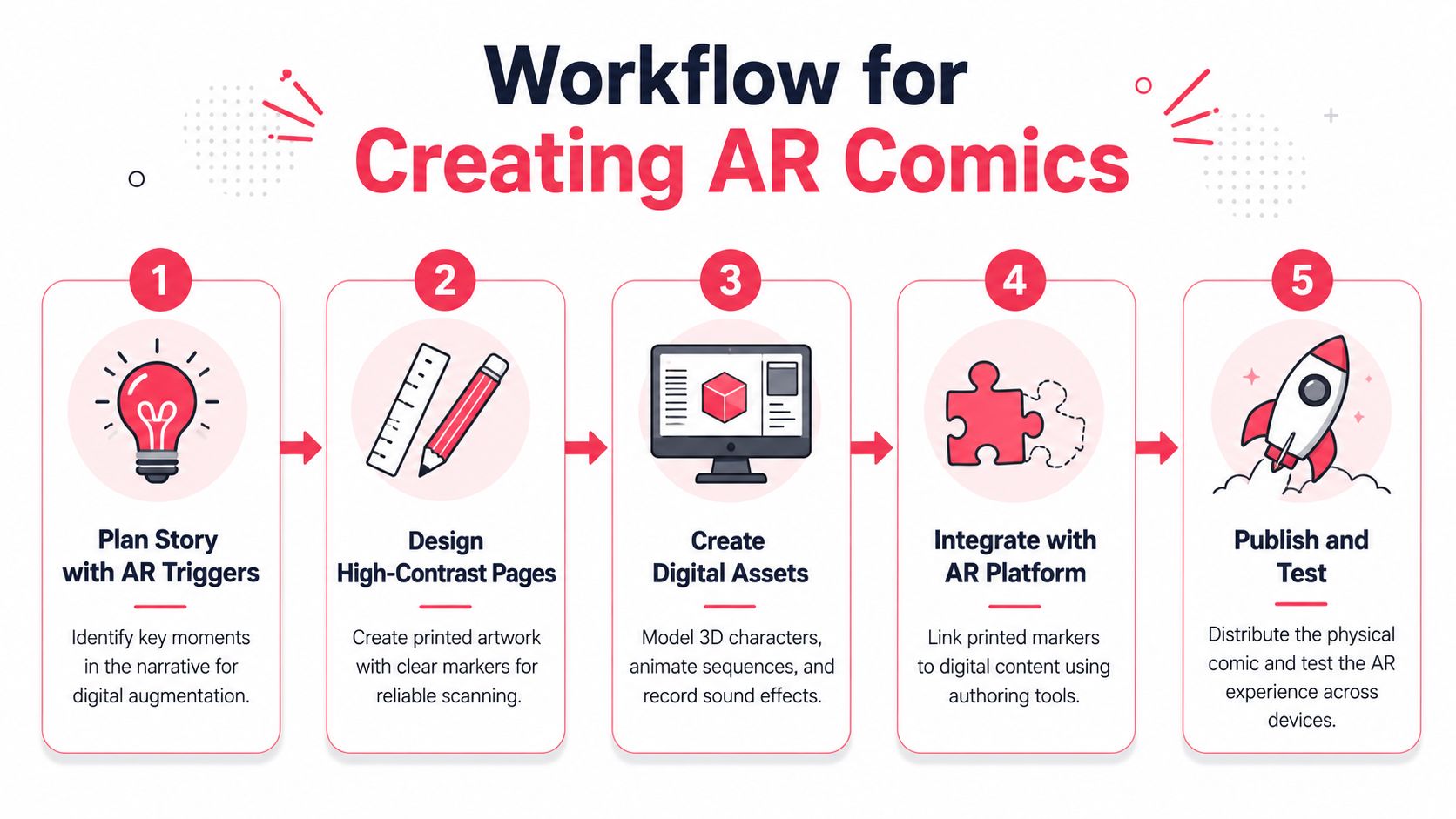
A strong AR comic usually starts with a reading problem, not a visual effect. Before you sketch a single panel, decide where the page needs a digital assist, because that choice shapes everything that follows. If the story needs a moment of reveal, transformation, pursuit, or emotional shift, the AR layer can sit there like a spotlight. If every panel gets treatment, the page starts to feel noisy and the reader loses the thread.
Build for scanning before you build for effects
Design the page so the camera can recognize it quickly. Clear silhouettes, strong contrast, and deliberate spacing give the reader's device stable reference points, which matters more than packing the page with motion cues. If you are drawing digitally, keep a version with clean shapes and less visual clutter around the areas you expect to trigger the AR layer, following the same image-recognition principles described in the ETSI AR framework.
That scan-friendly approach also helps readers who are not technical. They should be able to point the phone, see the overlay, and understand what happened without guessing where to tap or why the page is not responding. In practice, the page art needs to do two jobs at once. It has to read well as a comic page and as a marker.
Prototype early, then test on more than one device
Once the page art is in place, test the scan immediately. The first question is recognition, not polish. Can the app find the page quickly? Does the overlay stay in position when the phone shifts? Does it still behave well under normal room light, not just under ideal studio conditions?
File choice matters here too. PNG and JPEG are common working formats, and clean exports with clearly defined anchor areas make the build easier to manage ETSI AR framework. If the overlay drifts or flickers, readers stop trusting the experience.
AI-generated comic assets can help speed up that early stage. Platforms such as PersonalizedComics can produce stylized panels with consistent framing and strong contrast, which makes them useful as candidate AR markers when you need dependable scan-friendly art without commissioning custom illustration for every test page.
A repeatable creator workflow
- Plan trigger moments first. Decide which scenes deserve motion, sound, or interaction.
- Design for recognition. Keep the art clear enough for the phone camera to lock onto it.
- Create or export digital layers. Build the extra assets separately from the page itself.
- Bind the page to the overlay. Connect the printed marker to the digital scene in your AR tool.
- Test on real phones. Check alignment, load behavior, and usability in the conditions your readers will use.
Test in the conditions your readers will use, not just under perfect studio lighting.
For creators mapping out the page-building side of that process, this guide to making graphic novels on a computer is a useful reference for digital page production.
Tools and Platforms for Building AR Comics
Tool choice changes the project more than most creators expect. A native app stack gives you deep control, a browser-based stack lowers friction, and a no-code layer can get a prototype in front of readers quickly.
Comparing the main paths
| Tool | Best For | Tracking Quality | App Required |
|---|---|---|---|
| ARCore | Android-native development | Strong for device-aware AR | Yes |
| ARKit | iPhone and iPad projects | Strong for Apple devices | Yes |
| 8th Wall | Browser-accessible AR experiences | Good for web delivery | No |
| MindAR | Lightweight web AR prototypes | Good for image-target work | No |
| No-code AR platforms | Indie creators and small teams | Varies by platform | Usually no or optional |
How to choose without overbuilding
If you're a developer building for one mobile ecosystem, ARCore and ARKit can make sense because they offer deeper device integration. If you want readers to open a link and scan immediately, web-based tools like 8th Wall or MindAR reduce the drop-off that comes with app installs.
No-code platforms sit in the middle. They're useful when you want to upload page art, bind a few overlays, and test the reading flow without writing a full app. For indie creators, that can be the difference between a concept that stays in a folder and a prototype that gets read.
Where asset creation fits
Asset creation is separate from delivery. You still need page art, character renders, overlays, and audio, even if the platform is simple. That's where PersonalizedComics fits conceptually, because it can generate comic pages that are already stylized and visually consistent enough to work as AR-ready markers.
The best stack depends on your audience. If your readers are technical, an app may be fine. If they're parents, teachers, casual fans, or kids, the fewer steps between scan and story, the better.
Designing AR Comics Readers Enjoy Using
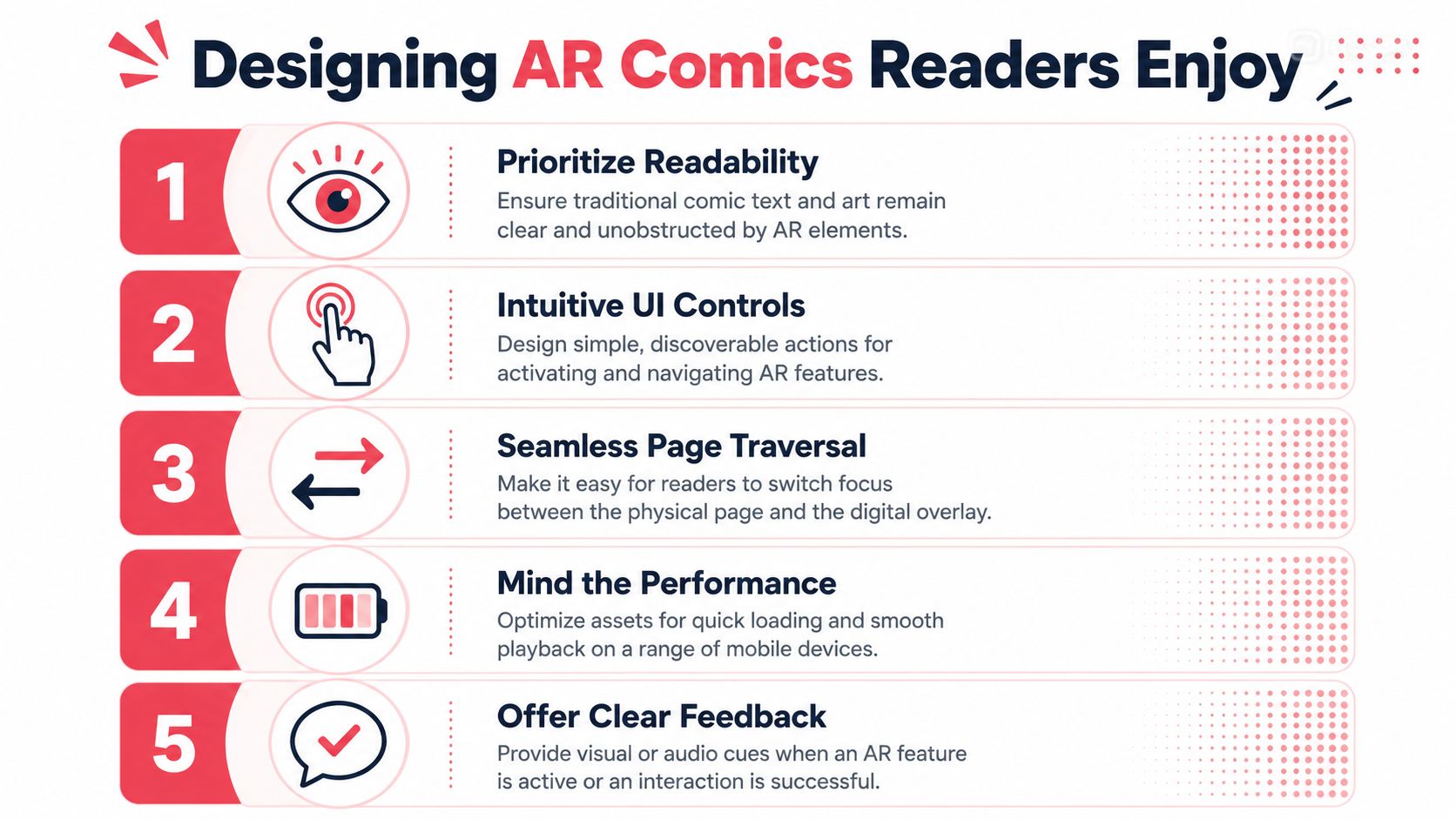
A reader opens a comic, scans a page, and the story either feels inviting or it feels like a setup task. The hardest problem in AR comics is not motion or rendering. It is whether readers can use the experience without having to think about the technology at all. Academic work on AR comics keeps pointing back to readability, clear UI/UX, and easy movement between the printed comic and the AR app as core requirements, which shows where the product risk sits academic work on AR comic usability.
Keep the interface obvious
Readers need to know which pages contain AR content before they scan. A small icon, a short prompt, or a clear visual cue on the page can prevent confusion before it starts. If the signal is too subtle, people miss the feature. If it is too loud, the comic starts looking like an instruction manual.
The control scheme should stay simple. One clear action to activate the AR layer is usually better than multiple hidden gestures. Readers should not have to guess whether they need to tap, scan, hold, or wait.
Make the technology disappear
The overlay should support the narrative, not compete with it. If the digital element covers text, blocks artwork, or forces the reader to shift focus constantly, the experience becomes tiring fast. Older readers, children, and non-technical audiences are often the first to abandon a system that feels fussy.
Load speed matters here too, even when creators do not talk about it much. A smooth page-to-overlay transition gives the impression that the story is responsive and stable. A laggy one makes the reader think the device is failing.
Readers forgive modest effects faster than they forgive confusion.
Easy movement between the page and the overlay matters because readers should always know where to look, what triggered the effect, and how to return to the panel itself. The best AR comic feels like one medium, not two competing ones.
For creators who want to shape page flow and attention, visual storytelling techniques can help you design pages that stay legible even with a digital layer on top.
Use visual markers that AI art can provide
Creators do not always need custom illustration to build a reliable marker system. AI-generated comic assets can work well when they are consistent, high-contrast, and easy to recognize frame after frame. That matters because the marker is doing two jobs at once, it is part of the art, and it is also a technical anchor for the scan.
The safest approach is to treat the marker like a recurring stage prop. It should appear naturally in the page composition, not float awkwardly beside it. A costume detail, emblem, poster, or background object can serve that role if it stays visually stable across panels. That gives indie creators a practical way to prototype AR pages without paying for a separate layer of bespoke illustration.
Design for non-technical readers first
A good AR comic does not ask readers to learn a tool before they can enjoy the story. Parents, teachers, casual fans, and kids need the path from page to overlay to feel obvious. If they have to pause and troubleshoot, the fiction loses momentum.
That is why the first version of any AR comic should be tested by people who did not help build it. They are the quickest way to spot the places where the interface feels clever to the creator but confusing to everyone else. Clear prompts, predictable scanning, and a short return path back to the page usually matter more than elaborate effects.
Where Augmented Reality Comics Are Headed Next
AR comics emerged as a distinct concept in the late 2010s and early 2020s, and the research has already shifted from novelty to usability and design structure TEM Journal study on AR comic markers. That's the sign of a format trying to mature, not just impress.
The next wave is likely to lean into richer sensory augmentation. Recent technical and design research points toward comic-language cues for non-visual sensations and newer XR webtoon-style reading experiences, although those ideas are still prototype-led rather than validated at scale recent AR comic research directions. The big question is not whether these effects are possible. It's which genres and audiences will stick with them.
That's where the business case becomes more important than the demo. AR adds production complexity, so creators need a reason beyond novelty to invest. Educational comics, social-impact stories, fandom extensions, and carefully targeted branded projects all have clearer paths than one-off experiments built only to show motion on a page.
AI-generated art changes the entry point. When creators can produce stylized pages that scan reliably without commissioning every panel from scratch, AR comic prototypes become easier to test. That doesn't solve story quality, but it lowers the barrier between idea and usable sample.
The format's future belongs to creators who make the experience intuitive first and impressive second.
If you're exploring AR comic ideas, start with pages that read cleanly, scan reliably, and support one strong interactive moment per scene. PersonalizedComics can help you create stylized comic pages fast, which makes it easier to prototype AR-ready artwork without needing a full illustration pipeline. Visit the site, build a comic that fits your story, and test how far you can push the page before the page stops feeling like a page.
Filed under Comics & Culture