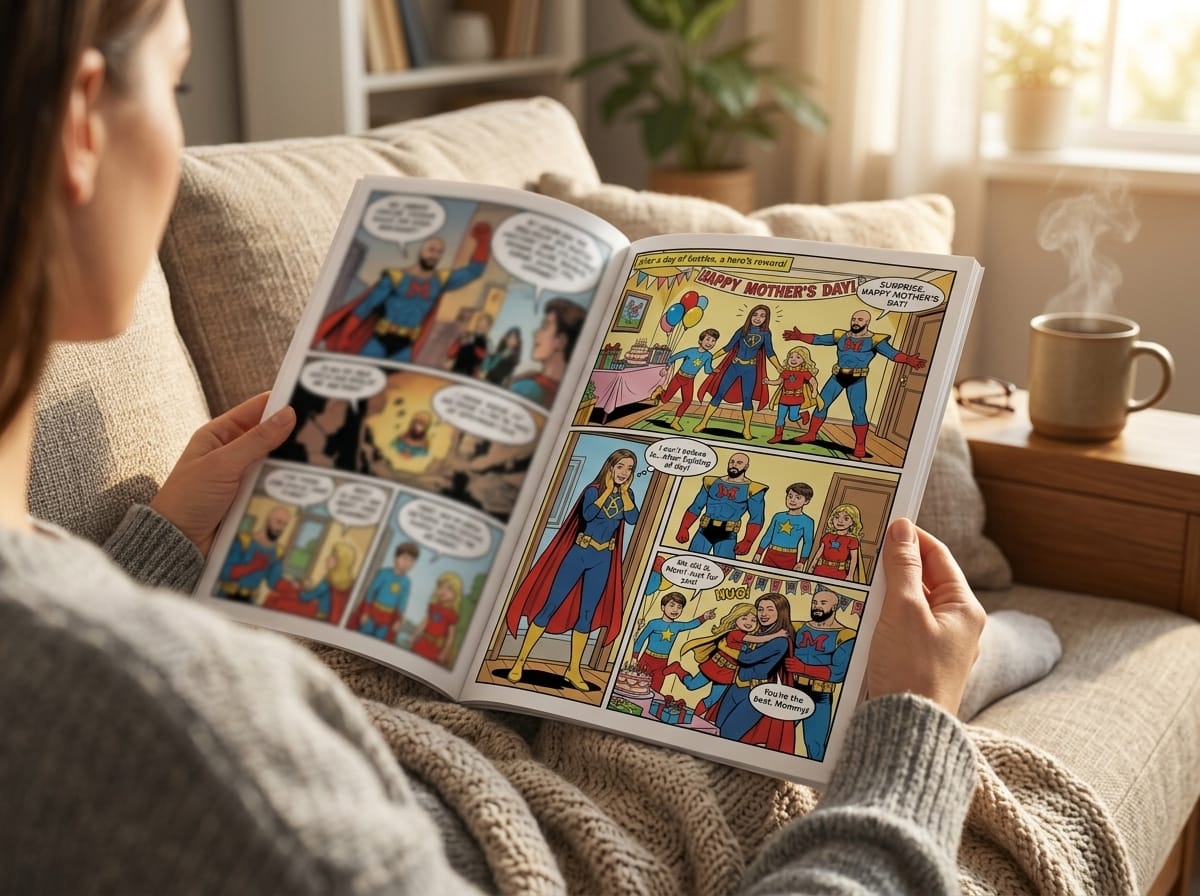
That's where a good custom comic strip maker changes the experience. The tool matters, but the craft matters just as much. If the story has no shape, the characters change faces every panel, and the final file isn't ready for print, the magic fades fast. When those pieces come together, though, a comic becomes more than a novelty. It becomes a keepsake people reread.
Why Create a Custom Comic Strip
A custom comic works because it does two jobs at once. It captures a memory, and it turns that memory into a visual story with pacing, dialogue, and mood. A framed photo shows what happened. A comic shows how it felt.
That makes comics unusually good for gifts and personal projects. A birthday comic can turn inside jokes into plot points. An anniversary comic can retell the first meeting, the awkward first date, and the little details nobody else knows. Parents can turn family stories into something kids want to read. Writers can test scenes before committing to a larger graphic novel.
Why this used to be out of reach
Traditional comic production is expensive because each stage often needs a different specialist. Based on industry cost breakdowns shared in this comic production discussion, a standard 22-page comic can total over $8,250 when you hire separate professionals for writing, drawing, and coloring.
That cost explains why so many personal comic ideas never left the notes app.
Now the workflow looks different. AI comic generators automate large parts of ideation, image generation, layout, and iteration. That doesn't remove creativity from the process. It removes the gatekeeping. You still need taste, story sense, and editing judgment, but you no longer need to hire a full creative team just to test an idea.
Practical rule: Use AI to handle production speed, not to replace story decisions. The more clearly you define the story, the better the comic feels.
Why the format matters emotionally
A comic has structure built into it. Panels create suspense. Page turns create reveal moments. Speech bubbles let you preserve someone's voice. Captions let you add reflection, memory, or humor that a plain image can't carry.
That's why a comic often lands harder than a photo collage or slideshow.
- It gives memories sequence. The reader moves through a beginning, a turn, and a payoff.
- It gives people roles. Mom becomes the strategist. Your friend becomes the chaos engine. Your partner becomes the hero of the scene.
- It gives ordinary moments style. A missed train becomes a dramatic chase. A proposal becomes a cinematic splash page. A family road trip becomes a comedy arc.
There's also a larger shift happening around this format. The global personalized comic strip app market reached $1.34 billion in 2025 and is projected to grow at a 13.7% CAGR from 2026 to 2034, reaching $4.25 billion by 2034, according to Growth Market Reports on the personalized comic strip app market. That projection points to something simple: people want stories that feel made for them, not mass-produced for everyone.
Planning Your Comic Before You Create
The fastest way to get a weak result from a custom comic strip maker is to start generating panels before you know what the story is. The images may look good individually, but they won't carry emotion unless they connect.
A short comic doesn't need a complex plot. It needs a clear arc.
Use a simple beginning middle end shape
Most personal comics work best when you think in three beats:
Beginning
Show the setup. Who's involved, where are they, and what's normal at the start?Middle
Introduce the moment that changes things. That can be funny, dramatic, embarrassing, romantic, or surprising.End
Land the feeling you want the reader to leave with. Celebration, warmth, laughter, gratitude, or a cliffhanger.
That's enough to build a few pages that feel intentional.
The reason planning matters more now is that comic tools are moving away from rigid templates and toward story-led generation. As noted in Drawstory AI's overview of AI comic maker tools, the trend is shifting from template-based to script-driven comic generation, where tools can turn full scripts into scenes automatically. Story structure comes first.
A small planning sheet works better than a long draft
Before opening any generator, write these five lines:
| Story element | What to write |
|---|---|
| Main character | Who the comic follows |
| Goal | What they want by the end |
| Setting | Where most of the action happens |
| Turning point | The thing that changes the situation |
| Final feeling | What the reader should feel at the end |
This tiny outline prevents a common problem. Many AI comics feel random because each panel solves a new visual problem but no panel serves the whole story.
If you can summarize your comic in five lines, you can usually build a clean first draft in the tool.
Prompts that help people find their story
If you're staring at a blank page, these starting points work well:
- A remembered moment: “The funniest thing that happened on our trip.”
- A milestone retelling: “How we met, but as a fantasy quest.”
- A family legend: “The story everyone tells at holidays.”
- A role-swap idea: “What if the dog narrated our household?”
- A tribute comic: “Why this person feels heroic to me.”
A useful trick is to plan by scenes, not by pages. Scene thinking keeps your focus on what changes. A page is layout. A scene is story.
Bringing Your Characters to Life with AI
You open your first draft and the story is there, but your lead character keeps changing. In one panel she has a sharp jawline, in the next her face is round. Her jacket changes color. Her age shifts. Readers notice that kind of drift right away, and it weakens the feeling that this is one continuous moment from a real life or a believable world.
AI does a much better job when character creation is treated like comics craft. The tool can generate images fast. Your job is to give it a stable person to return to, panel after panel.
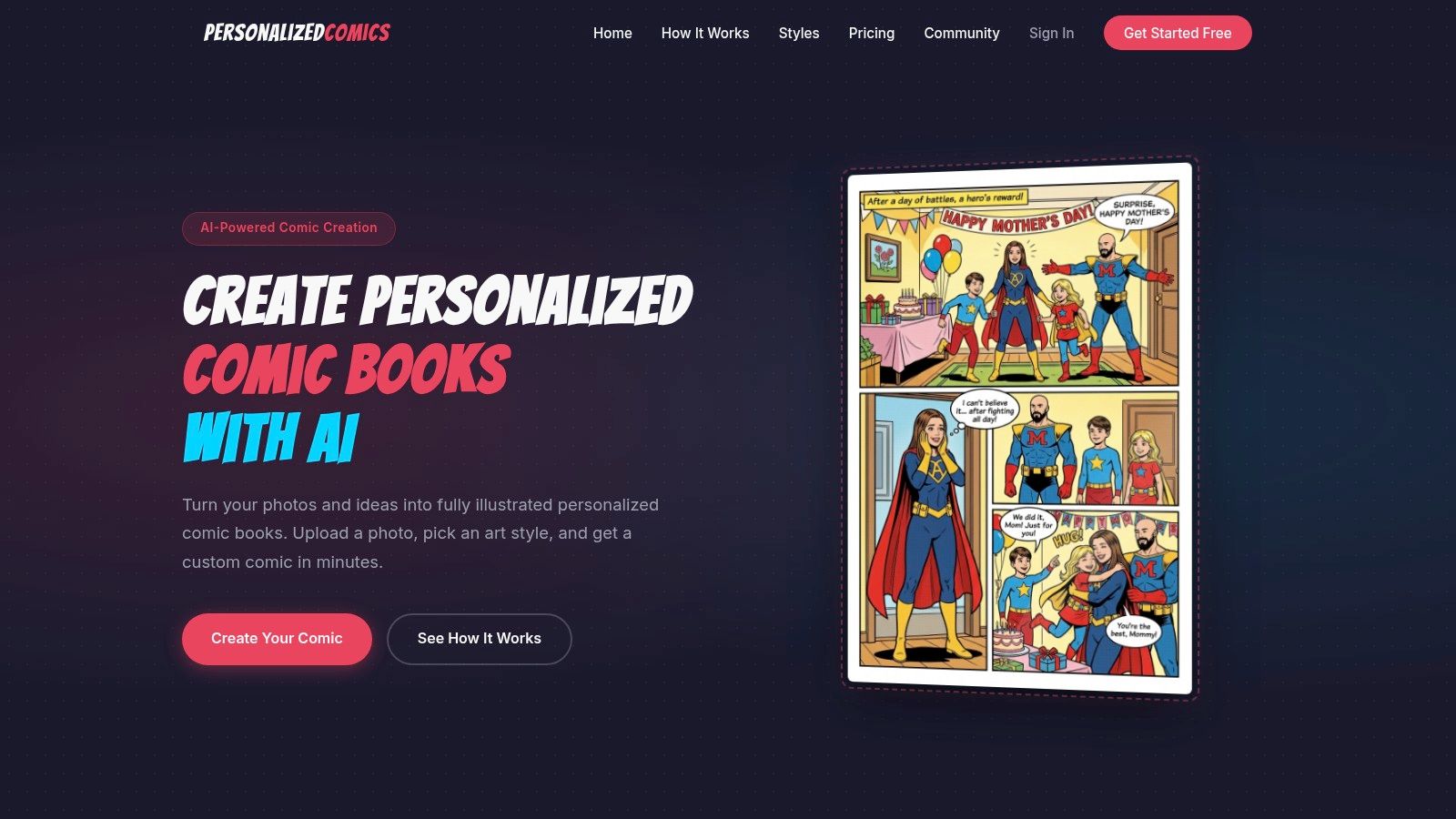
Two solid ways to build a character
Photo-based transformation fits personal stories, gifts, anniversaries, and family memories. Start with a clear photo, good lighting, visible facial features, and an expression that feels natural for the person. If they always wear cat-eye glasses, a red scarf, or a denim jacket, include that. Signature details do a lot of work in comics because they help the model repeat the same visual cues.
Prompt-based creation fits fictional stories or privacy-sensitive projects where you do not want to upload a real face. The trade-off is control versus speed. A short prompt is faster, but it usually produces a more generic character. A fuller prompt takes a minute longer and gives you a stronger silhouette, better continuity, and more emotional specificity.
A character description works best when it covers three layers:
- Physical anchor: short black curls, round glasses, denim jacket
- Mood anchor: alert posture, warm smile, slightly mischievous expression
- Story anchor: science teacher turned reluctant hero
Those three layers help the model hold onto both appearance and personality.
A practical approach to character consistency
The biggest visual mistake in AI comics is relying on one setup prompt and hoping the tool remembers everything later. It usually will not. Better results come from restating the core character traits in each panel prompt, especially for faces, clothes, and recurring accessories. As noted in Somake AI's comic generator guide, inconsistent characters break immersion fast.
So instead of writing:
- “Alex runs into the room.”
Write:
- “Alex, a woman with shoulder-length auburn hair, freckles, a yellow raincoat, and white sneakers, runs into the room looking panicked.”
Yes, that feels repetitive while writing. It also gives the image model the repetition it needs.
Keep a short character bible beside the editor. Reuse the same wording every time the character appears. Small wording changes can produce larger visual changes than you expect. If you want a stronger framework for building repeatable designs, this guide on mastering comic character design is useful.
Prompt for the panel, not the page
A comic page can contain several different acting beats, camera distances, and emotional shifts. That is why page-level prompts often fall apart. Panel-level prompts are more dependable because each image has one clear job.
A practical panel prompt usually includes:
- Character identity: who appears in the frame
- Action: what happens in that moment
- Setting: where the panel takes place
- Camera view: close-up, medium shot, overhead, wide shot
- Mood and lighting: bright morning, soft nostalgia, tense shadows
- Text spacing note: where speech bubbles or captions need room
Analysts at MindStudio found in their guide to building an AI comic generator with FLUX and Veo 3 that structured prompts with clear character and framing instructions reduce identity drift compared with loose prompts. That matches what I see in practice. Clear framing and repeated descriptors usually beat clever wording.
One practical option for this workflow is PersonalizedComics, which lets users upload photos or describe original characters, choose from eight art styles, and generate comic pages with panels, speech bubbles, and narration.
A note on real people and consent
Real faces carry responsibility. If your comic includes a partner, friend, child, or anyone outside yourself, get permission before turning their likeness into a stylized character, and get permission again before sharing or selling the finished comic.
That extra step protects privacy and trust. For personal storytelling, those matter as much as the artwork.
Building Your World Style Panels and Dialogue
Style isn't decoration. In comics, style changes the meaning of the same scene.
A reunion drawn in watercolor feels tender. The same scene in noir feels haunted. Retro cartoon makes it playful. Manga makes emotions bigger and faster. That's why style choice should happen early, before you generate pages in bulk.
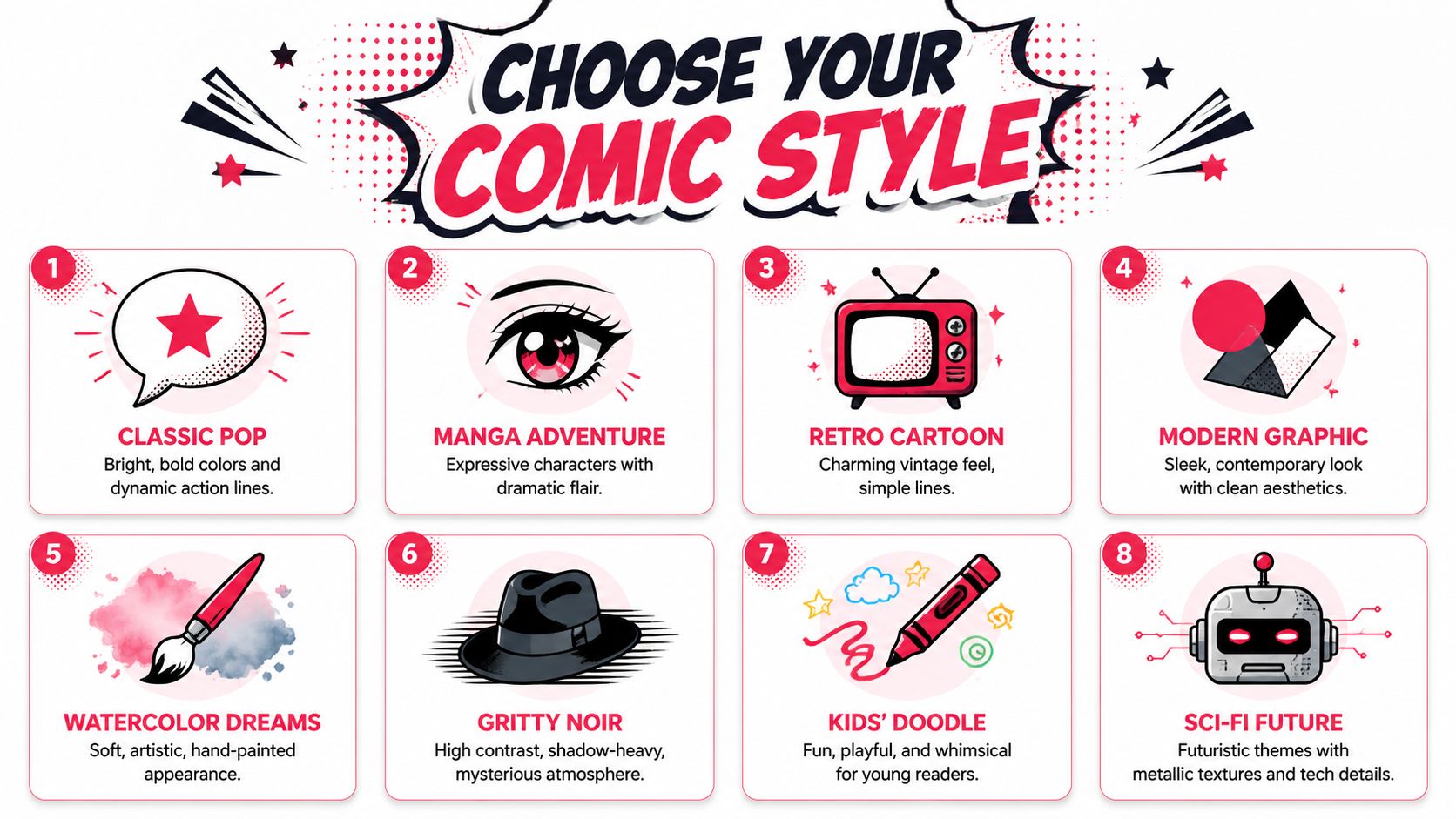
Match style to feeling
Say you're making a comic about a couple's first road trip.
- Noir turns a broken-down car into moody drama.
- Retro cartoon makes every detour feel bouncy and charming.
- Watercolor softens the memory and makes it feel reflective.
- Sci-fi future can turn a normal trip into a parody adventure across galaxies.
A lot of users pick style based on what looks cool in the preview. Better results come from picking style based on emotional intent.
Here's a fast match-up:
| Story type | Style direction |
|---|---|
| Romantic memory | Watercolor, fantasy |
| Action-heavy joke | Classic pop, manga |
| Mystery or dramatic retelling | Noir, graphic novel |
| Kids' story | Kids' doodle, retro cartoon |
| Futuristic parody | Cyberpunk, sci-fi future |
If you're experimenting with page composition as much as visual style, this article on a comic panel layout generator can help you think about rhythm and readability.
Build panels like scenes not screenshots
A comic panel should capture a moment of change. That's different from asking AI for a pretty image.
A strong panel prompt includes movement, intention, and framing. “Two friends at a cafe” is static. “Two friends leaning across a cafe table as one reveals a surprise concert ticket, medium shot, afternoon light, excited expression” gives the panel a reason to exist.
When generating pages, vary the visual distance:
- Start wide to establish place
- Move closer for emotion
- Use one dramatic panel for impact
- Pull back again when the scene changes
That shift in camera language gives your comic pacing.
Leave space for text before you generate the final page. A gorgeous panel with no room for dialogue becomes extra editing work.
Dialogue that reads like comics
The most common writing mistake in custom comics is trying to fit full conversation transcripts into speech bubbles. Comic dialogue has to be compressed. It should sound natural, but it should also move quickly.
A few guidelines help:
- Cut setup words. People don't need to say “well” and “so” every time.
- One bubble, one beat. If the character changes thought, split the line.
- Use captions for context. Let narration handle time jumps or memory cues.
- Add sound effects sparingly. A well-placed “BAM,” “UGH,” or “ding dong” adds motion without clutter.
Think of each panel as a tiny stage. The art shows what's happening. The dialogue reveals attitude. The caption tells the reader what they can't see.
Editing and Polishing Your Comic Pages
Editing is where a comic starts feeling professional. Most first drafts have enough material. They just don't have enough control.
This matters even more with AI-assisted pages, because generation is good at producing options, not judgment. You still need to decide what stays, what gets simplified, and what needs a second pass.
The problems readers notice first
The biggest visual stumble is text placement. According to Approval Studio's breakdown of the comic creation workflow, professional success rates exceed 85% when scripts detail every panel before art begins, and 40% of AI-generated comics suffer from misaligned speech bubbles or overlapping narration.
That sounds technical, but readers experience it emotionally. If a bubble points to the wrong speaker, or text sits on top of a face, the page feels amateur even if the artwork is strong.
A short polishing checklist
Use this before exporting anything:
- Read the dialogue aloud. If it sounds stiff, trim it.
- Check bubble order. The reader should know what to read first without guessing.
- Look for crowded panels. If text takes over the art, split the scene or shorten the line.
- Verify story motion. Every panel should add information, emotion, or momentum.
- Watch transitions. If one scene jumps too abruptly, add a caption or reaction panel.
Good editing doesn't make the comic smaller. It makes the story easier to feel.
Fixing rookie mistakes fast
A lot of rough comics share the same habits. Every panel is the same size. Every line of dialogue explains too much. Every emotional beat gets the same visual weight.
Simple fixes go a long way. Enlarge the key moment. Cut repeated lines. Remove one unnecessary panel from any scene that drags. If a joke needs too much explanation, rewrite the setup rather than adding another bubble.
Professional creators treat editing as part of storytelling, not as cleanup. That mindset changes the final result.
Sharing Your Story From Digital Files to Physical Prints
A comic can feel finished on your screen and still fall apart the moment it becomes a real object. Tiny dialogue that looked fine on a laptop turns unreadable on a phone. A soft AI image that felt painterly online prints with muddy faces. The last step is still storytelling, because format changes how people experience the page.
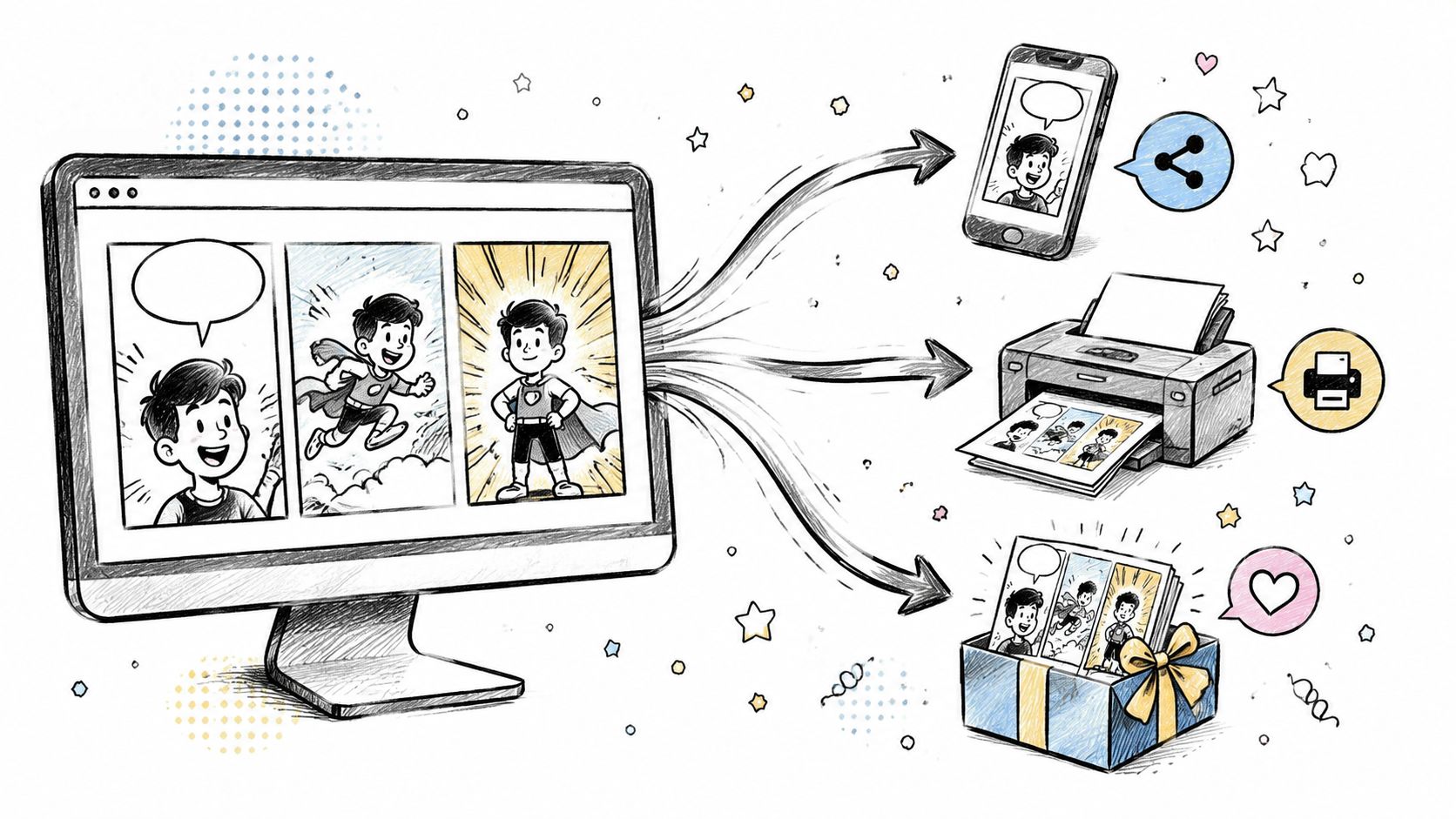
Exporting for screens
Screen versions need readability before anything else. Open the final file on an actual phone, not just a desktop preview, and check three things right away. Can you read every bubble without zooming? Does each panel still make visual sense at a smaller size? Do dark scenes still separate the characters from the background?
A few practical adjustments usually fix weak digital exports:
- Increase text size until it reads comfortably on a phone held at arm's length
- Keep page order obvious so multi-image posts or PDFs read in the right sequence
- Raise contrast if captions sit over textured backgrounds
- Export a test JPG or PNG and review compression artifacts around line art and speech bubbles
Digital sharing is forgiving. Print is not.
Preparing for print
Print exposes every shortcut in the file. If your comic started with AI-generated panels, check the original image size before you order anything. A panel downloaded at web size, often around 72 DPI or a low pixel dimension, can look acceptable on a screen because screens display light, not ink. In print, the same file gets stretched across physical paper, and the missing detail shows up as fuzzy line work, blocky shading, and text edges that look slightly broken.
The safer target is 300 DPI at the final print size. That last part matters. A file can be labeled 300 DPI and still print badly if it is too small and gets enlarged. For example, a 5 x 7 inch page should be built at about 1500 x 2100 pixels for clean printing. If you scale that same page up from a much smaller image, the printer cannot invent sharper details.
Color needs a check too. Many AI tools export in RGB because screens use red, green, and blue light. Printers use CMYK inks. Bright blues, neon greens, and glowing pinks often shift during conversion and come out flatter on paper. In Canva, Photoshop, Affinity Publisher, and similar tools, review the document color settings before export and preview how saturated areas change. If a dramatic sunset or costume color matters to the story, print a single test page first.
Bleed is the other place beginners lose good art. If background color or artwork is meant to reach the edge of the page, extend it past the trim line, usually by about 0.125 inch on each side. Keep speech bubbles, captions, and important facial details inside a safe margin. A simple way to picture it is this. The trim line is where the page gets cut. The bleed sits outside that cut line. The safe area sits inside it. Art can enter the bleed. Dialogue should stay in the safe area.
If you want a step-by-step reference for file setup, paper choices, and ordering, this guide to printing your own custom comic book covers the production side well.
Why a physical comic feels different
A printed comic changes the emotional payoff. Pages have weight. Turns create pauses. A gift copy can sit on a shelf for years and still bring back the exact joke, memory, or love story you built into it.
That is why final export deserves care. A meaningful comic can survive imperfect AI art. It struggles much more with blurry text, color shifts, or a cropped punchline.
PersonalizedComics offers an AI-powered way to create pages from photos and story prompts, choose from eight art styles, and order a physical printed comic when you want something tangible to keep or give away.
Filed under Making Your Comic