That's where an online comic book generator changes the starting point. Instead of drawing every face, building every panel, and lettering every bubble by hand, you describe the idea, add photos or character notes, and let the software assemble illustrated pages for you. The result is not a replacement for a comic artist's craft, but it is a practical way for non-artists to make a real comic, fast, with far less friction than traditional production.
What an Online Comic Book Generator Actually Is
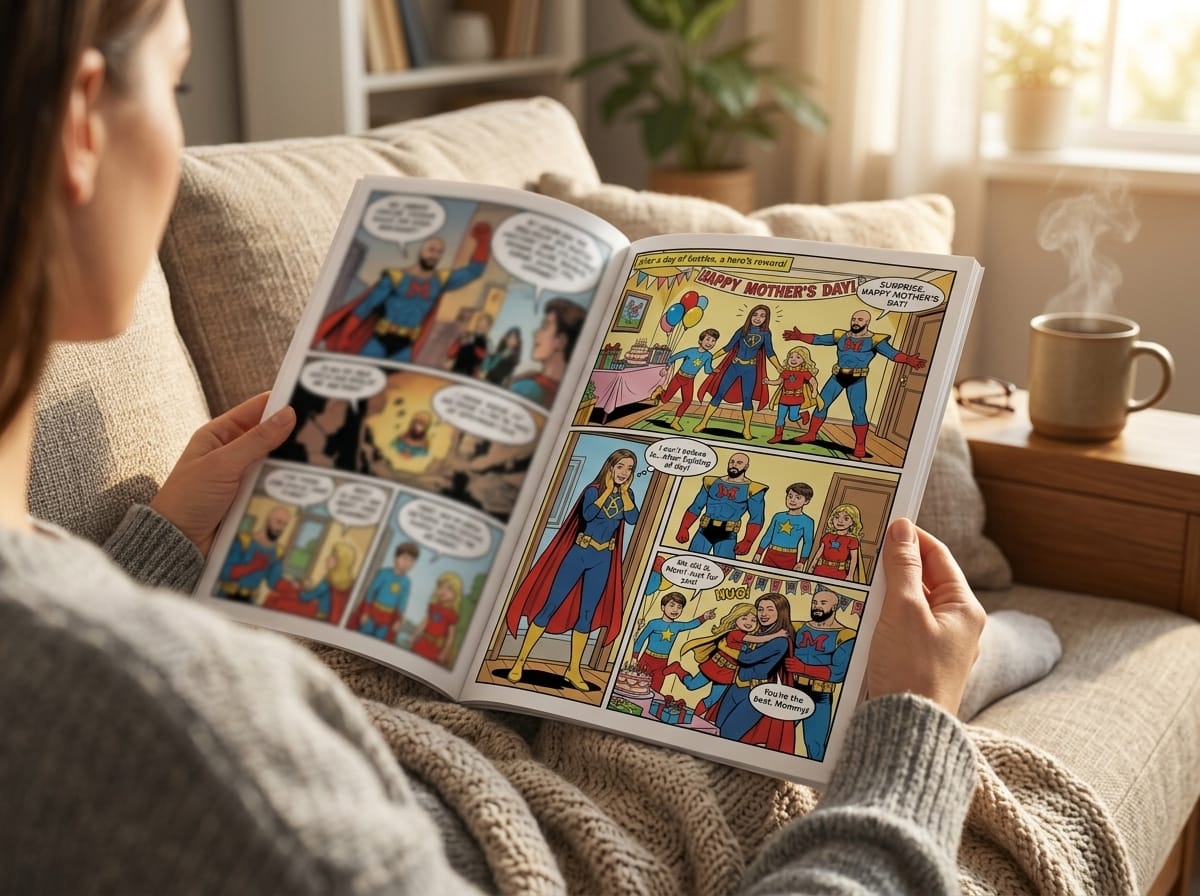
A parent wants to make a silly birthday story about a kid and a spaceship. A writer wants to test whether a scene works better as dialogue or as visuals. Someone else just wants to turn a memory into a keepsake that feels more alive than a greeting card. An online comic book generator is the tool built for those moments, because it takes a prompt, a photo, or both, and turns them into comic pages with panels, speech bubbles, narration, and sound effects.
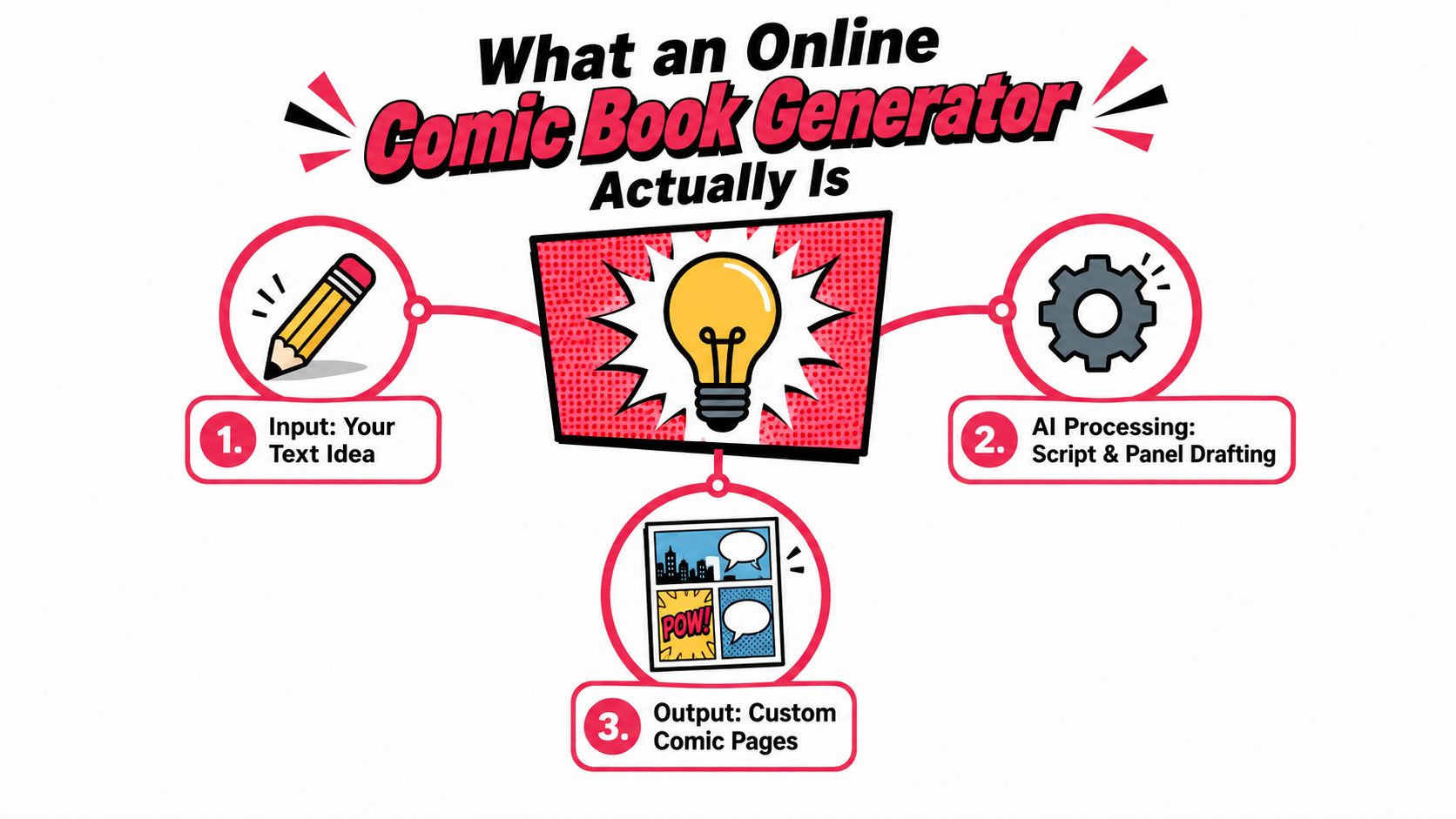
What the category covers
These tools don't behave like a full studio where you hire a penciller, inker, colorist, and letterer one by one. They're closer to a web-based assistant that handles the assembly for you, while you make the story choices. The broader market already reflects that shift, with one report estimating the online comic generator segment at $500 million in 2025 and projecting a 15% CAGR from 2025 to 2033. A separate industry snapshot places the wider AI-generated comic book market at $1.8 billion in 2025, with growth to $9.6 billion by 2034 at a 20.4% CAGR. Those figures point to a category that's moving well beyond a novelty use case, especially where speed and digital storytelling matter most. (market report)
That growth makes more sense when you look at the larger comics economy around it. The global digital comics market was valued at $5,369 million in 2024, is expected to reach $5,806 million in 2025, and is projected to grow to about $14,416.5 million by 2034. Another industry source says the global comics and graphic novels market reached $17.69 billion in 2023. (digital comics statistics)
Practical rule: if a tool can draft pages, frame dialogue, and package the result into something readable, it belongs in this category. If it can't handle those basics, it's just a drawing toy with comic branding.
How AI Turns an Idea Into a Comic Page
Think of the process like a small film crew working from the same script. One part of the system writes the scene beats and dialogue, another part renders the visuals, and a final layer handles the page layout so the reading order still feels natural. That modular setup is what makes a production-grade comic generator feel organized instead of chaotic.
The pipeline under the hood
The text model usually starts with the story structure. It turns a prompt into a short script, decides what happens in each moment, and prepares dialogue that fits the scene. The image model then generates the actual panels one by one, which gives the creator more control than a single all-in-one image dump.
After that, a layout system places the speech bubbles, narration boxes, and sound effects onto the page. This separation matters because it helps preserve sequence and readability, especially when the comic has more than one panel. A useful internal reference for this style of workflow is AI story generation based on prompt.
The trade-off is just as important as the benefit. When panels are generated separately, the model can drift in pose, outfit, facial detail, or background geometry. That's why creators still check each page carefully, even when the first pass looks strong.
Keep this in mind: AI can draft the page structure, but it doesn't automatically understand continuity the way a human storyboard artist does.
Art Styles That Shape the Look of Your Story
Style isn't decoration at the end, it's a storytelling choice at the beginning. A comic about a moody detective, a childhood memory, and a space battle can all use the same generator, but they'll land very differently depending on the visual language you choose. On PersonalizedComics, the eight style options are not interchangeable skins, they map to different tones and audiences. See the broader style guide at different comic art styles.
Matching style to story
Manga works well for serialized arcs, expressive faces, and a sense of momentum. It's a natural fit when the story leans emotional, energetic, or chapter-based.
Classic American gives you a familiar superhero or adventure feel, which suits action-driven stories and bold character poses. Graphic novel styling leans more literary and grounded, so it fits reflective plots or dramatic scenes.
Noir is the strongest match for mystery, tension, and hardboiled narration. If your story lives in shadows, alleyways, or private doubts, noir supports that mood without much effort.
Watercolor softens the visual edge, which makes it useful for sentimental gifts, family stories, and gentle scenes. Cyberpunk supports neon, tech, and urban density. Retro pop fits nostalgia, bright color, and playful throwback energy. Fantasy is the obvious lane for quests, magic, and larger-than-life worlds.
The simplest way to choose is to ask what emotion you want the reader to feel first. A style should reinforce that feeling, not fight it.
Core Features and the Limits You Should Expect
A serious online comic book generator should do more than spit out a single image with a speech bubble. You want a tool that can transform a photo into a character, let you choose from multiple art styles, build panel layouts, add narration and effects, and export the result in a format you can use. Those are the basics a real user will care about.
What a strong feature set looks like
On the useful side, the feature list usually includes photo-to-character transformation, scene prompts, panel sequencing, bubble placement, and export options. Some platforms also offer access to printed output, which matters if the comic is meant to become a gift or a keepsake instead of just a screen file.
PersonalizedComics fits that pattern by letting users upload photos or describe original characters, then generate comic pages with panels, speech bubbles, sound effects, and narration. It also positions itself as a no-subscription platform with a flat $19.99 price for the full digital comic, which makes budgeting a project simple.
Where the limit shows up
The hard part is continuity. Existing workflow guidance says consistency improves when creators use a reference image, keep the seed family stable, or train a reusable LoRA. It also points to practical settings like reference strength around 0.7 to 0.9, plus 8 to 15 high-quality character images for custom training, and 20 to 30 minutes for training in some pipelines. Those numbers matter because they show continuity is a controllable workflow issue, not magic. (character consistency guidance)
The other constraint is manual cleanup. Even in a good pipeline, panel-by-panel generation can create drift in clothing, posture, or room layout. That's why a tool can feel instant and still need a human eye before it's finished.
| Area | What works well | What still needs manual care |
|---|---|---|
| Character look | Quick transformation from photo or description | Keeping the same face and outfit across pages |
| Page assembly | Panels, bubbles, narration, and effects | Bubble placement and reading flow |
| Story output | Fast scene drafting and visual pacing | Tightening dialogue and scene order |
| Export and reuse | Pages can be saved or shared for other uses | Final print checks and cleanup |
Real-World Ways People Use Online Comic Generators
The easiest way to judge these tools is to look at who uses them. A gift buyer wants something personal. A writer wants to prototype. A teacher wants a lesson to stick. A content creator wants stronger visuals. Those are different jobs, and each one sets a different bar for the output.
Four common user types
Gift shoppers often use comic generators to turn a relationship or memory into a story. A partner comic about an inside joke works because it feels personal even if the art is stylized.
Writers and storytellers use them as a visual sketchpad. A scene that looked flat on the page can become easier to judge once it's broken into panels, especially when the timing of dialogue matters.
Parents, teachers, and youth groups can use comics to turn a lesson into something memorable. A historical scene, a safety rule, or a reading prompt becomes easier to follow when it's presented as a short visual sequence.
Content creators, cosplayers, and streamers tend to use comics for thumbnails, lore pages, and branded side stories. A stylized comic can communicate personality faster than a plain promotional graphic.
In each case, the value is not just that the tool makes images. It's that it gives someone who can't draw a way to package an idea visually without starting from zero.
Creating a Comic Step by Step on PersonalizedComics
A useful example is a four-page birthday adventure in retro pop style. The story might follow a child, a pet, and a rocket ship through a bright, playful rescue mission. The point isn't to make the comic overly ambitious, it's to give the system a clear visual lane and a simple emotional target.
From signup to first page
The process starts with signing up and generating the free cover preview, drawn in about a minute. The first pages are free to preview as well, so you can test a small story before spending anything. A short first project is a smart way to learn how much detail the generator needs from you.
Next comes the style choice. If the birthday story is cheerful and nostalgic, retro pop is a natural fit because the colors and shapes support a fun, celebratory feel. If the project were more dreamy or emotional, another style might fit better, but the key is to match tone before worrying about page count.
Then you upload photos or describe the characters. That step anchors identity, which helps the generator stay closer to the same face and costume across the comic. After that, you outline the plot, setting, and dialogue, and let the system draft the pages with panels, bubbles, sound effects, and narration.
For a worked workflow reference, PersonalizedComics also explains its comic creation flow in personalized comic books.
What to review before exporting
The first pass is never the final pass. Check whether the character's face stays stable, whether the reading order makes sense, and whether the dialogue fits the space inside the panel. If a page feels crowded, fix that before you move on.
The best results usually come from a tight story, a clear reference, and one careful review cycle per page.
At the end, you can export the comic or order a physical copy if the goal is a tangible keepsake. That matters for birthdays, anniversaries, and event gifts, where the object itself is part of the meaning.
Pricing and Smart Buying Tips
Flat pricing makes comic planning easy: the full ten-page digital comic is $19.99, and the Keepsake is $39.99 with one printed book included. A gift project costs the same whether you finish it in one sitting or come back to it over a week.
Why the no-subscription model matters
PersonalizedComics has no subscription and nothing prepaid: the full digital comic is a flat $19.99, and the Keepsake is $39.99 with one printed book included. That setup is useful for hobbyists because you don't have to rush a project to protect prepaid value. You can pause, revise your idea, and return later without feeling like the clock is punishing you.
The platform also gives new users a free preview comic, which is enough to test your first story flow before upgrading. That matters more than it sounds, because the first project is usually where you learn how specific your prompt needs to be, how many pages your idea really needs, and which style feels right.
Smart buying habits
Start small, make one short comic, and inspect the results page by page. If the workflow feels good, move up to a pack that matches how many pages you plan to make. That's a better habit than buying too much upfront and hoping the project appears later.
A physical copy can be worth planning for if the comic is meant as a gift or a keepsake. The digital version proves the idea, but the printed version often carries the emotional payoff.
Best Practices for Better Pages Every Time
Choose high-quality reference images when character continuity matters, because blurry or inconsistent photos make drift more likely. Write prompts that name the setting, mood, and action clearly, then review every page before moving forward. If a scene introduces a new outfit, location, or expression, anchor it on purpose instead of assuming the model will remember it.
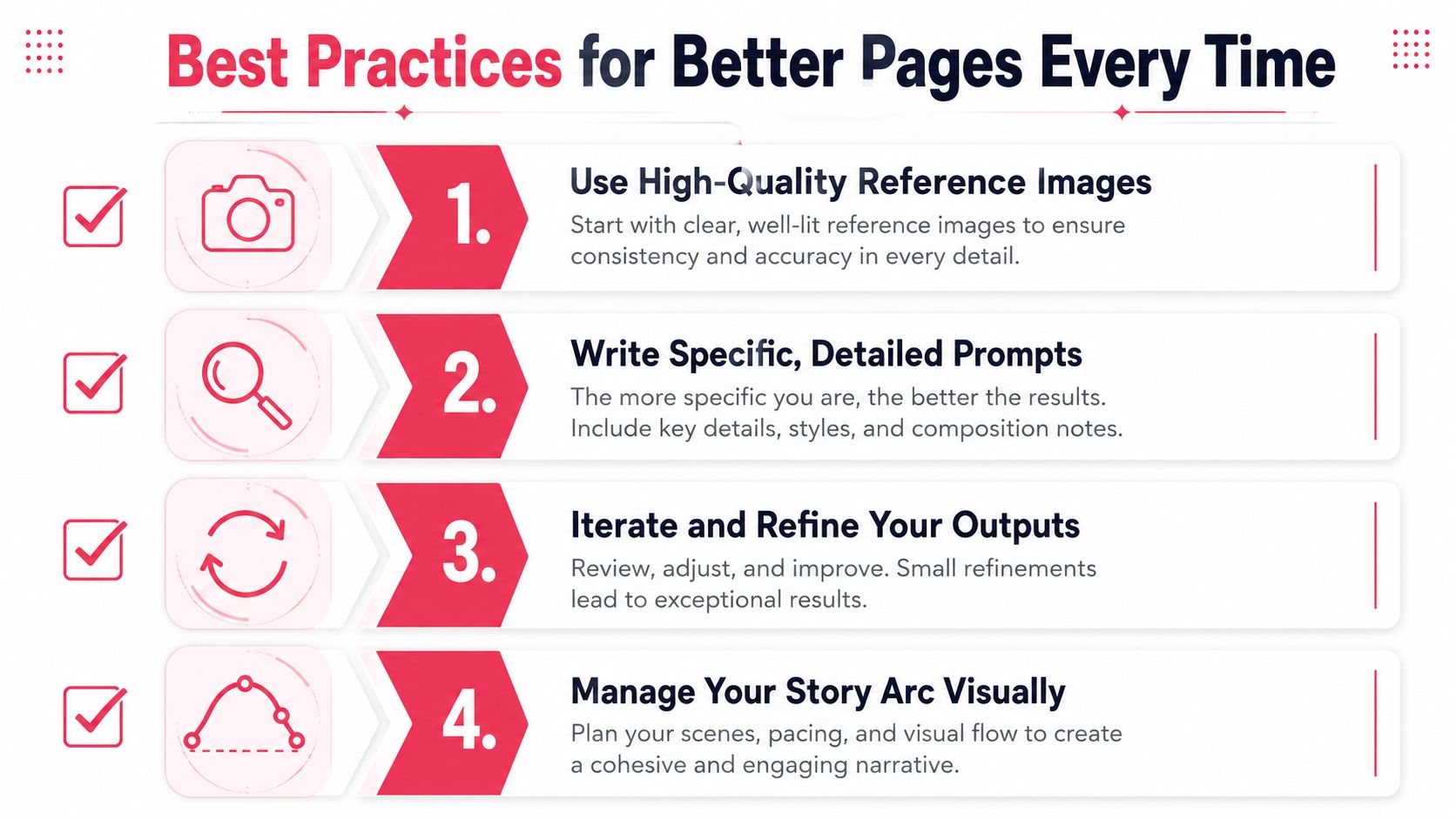
The short checklist
- Use strong references: Pick clear, front-facing images when you want the same person to recur across pages.
- Be specific in prompts: Describe the room, emotion, and action instead of asking for a generic scene.
- Refine the outputs: Read each page like an editor and fix problems before they spread through the story.
- Track the story visually: Keep characters, settings, and props consistent so the comic feels connected.
These tools shine when you want speed, personal meaning, and a finished comic without building a full art pipeline. If the project depends on highly controlled publication art or very complex continuity, a professional illustrator may still be the better choice.
If you want to turn a photo, memory, or story draft into a finished comic page, visit PersonalizedComics and try a project that fits your own idea. It's built for the exact use case this guide covered, turning simple prompts into illustrated pages you can share, print, or keep as a one-of-a-kind story.
Filed under Making Your Comic